
If you are wondering how many outlets should a home office have, there is no single number that works for every workspace. The right amount depends on your desk layout, computer equipment, monitors, printer, chargers, networking devices, lighting, and anything else you expect to plug in.
A simple laptop workspace may need relatively little power. A full-time office with multiple monitors, a desktop computer, printer, docking station, speakers, networking equipment, and other electronics can quickly run out of convenient receptacles.
Instead of starting with a fixed outlet count, make an equipment list and plan where those devices will actually sit. The goal is to have enough conveniently placed electrical outlets that you are not relying on long extension cords, crowded adapters, or multiple power strips simply because the receptacles are in the wrong locations.
At The Go-To Crew Electric, we recommend planning for what your office uses today while leaving reasonable flexibility for future equipment.
How Many Outlets Should a Home Office Have?
The practical answer depends on the workspace.
A home office used occasionally for a laptop and phone charger has different needs from a room where someone works full-time with several powered devices.
Start by listing everything you expect to use.
A typical office might include:
- Desktop computer or laptop
- One or more monitors
- Docking station
- Printer or scanner
- Desk lamp
- Phone charger
- Tablet charger
- Speakers
- Modem
- Router or mesh Wi-Fi equipment
- External hard drives
- Webcam or conference equipment
- Adjustable desk
- Television
- Small office accessories
Then consider how many of those devices need to stay plugged in permanently.
You do not necessarily need one wall receptacle for every plug. Quality power strips and equipment-specific surge protection can serve appropriate electronics. The bigger planning issue is whether your room has enough convenient electrical access without depending on extension cords stretched across walkways or plugging everything into one location.
Count locations, not only receptacles
The placement of outlets can matter as much as the total number.
Six receptacles clustered on one wall may be less useful than several strategically located around the office.
Think about where you will have:
- Your primary desk
- Secondary work surface
- Printer
- Networking equipment
- Charging station
- Floor or table lamps
- Future furniture
That gives you a better starting point than choosing an arbitrary number before planning the room.
How Do You Estimate Your Home Office Equipment Load?
Outlet quantity and electrical capacity are related, but they are not the same thing.
Adding more receptacles to a room does not automatically increase how much electrical load the circuit can safely support.
Several outlets can all be connected to the same circuit.
Make an equipment inventory
Start with the devices you expect to operate at the same time.
For example:
Computer equipment
- Desktop or laptop
- Monitors
- Docking station
- External drives
Office equipment
- Printer
- Scanner
- Shredder
Communications
- Router
- Network switch
- VoIP equipment
- Video-conferencing equipment
Comfort and lighting
- Desk lamps
- Floor lamps
- Powered desk
- Small fan
A home office dominated by efficient computer electronics may have different demands from one that also includes high-draw equipment.
Pay attention to higher-demand devices
Certain equipment can place more demand on the circuit than a phone charger or computer monitor.
For example, a large laser printer, portable heating equipment, or other high-wattage device can significantly change the electrical load when operating.
Avoid assuming that because there are several open receptacles, the circuit has unlimited capacity.
Breaker trips are a warning
If your existing office already causes a breaker to trip when several devices operate together, adding additional power strips is not a good solution.
Repeated trips can indicate excessive load or another electrical problem.
An electrician can determine:
- What else shares the circuit
- How much load is being placed on it
- Whether the existing circuit is appropriate
- Whether an additional or dedicated circuit makes sense
Do not replace a breaker with a higher-rated one as a workaround. Circuit protection needs to match the wiring and electrical design.
Where Should Home Office Outlets Be Placed?
Good outlet placement starts with the furniture plan.
Imagine the room fully furnished before deciding where power should be available.
Behind or near the main desk
Your primary workstation will usually have the highest concentration of equipment.
Plan for power near the desk rather than relying on an extension cord from another side of the room.
Think about:
- Computer
- Monitors
- Dock
- Speakers
- Chargers
- Desk lamp
- Powered desk
If the desk floats away from the wall, mention that during the electrical-planning stage. The best solution may differ from a desk positioned directly against a wall.
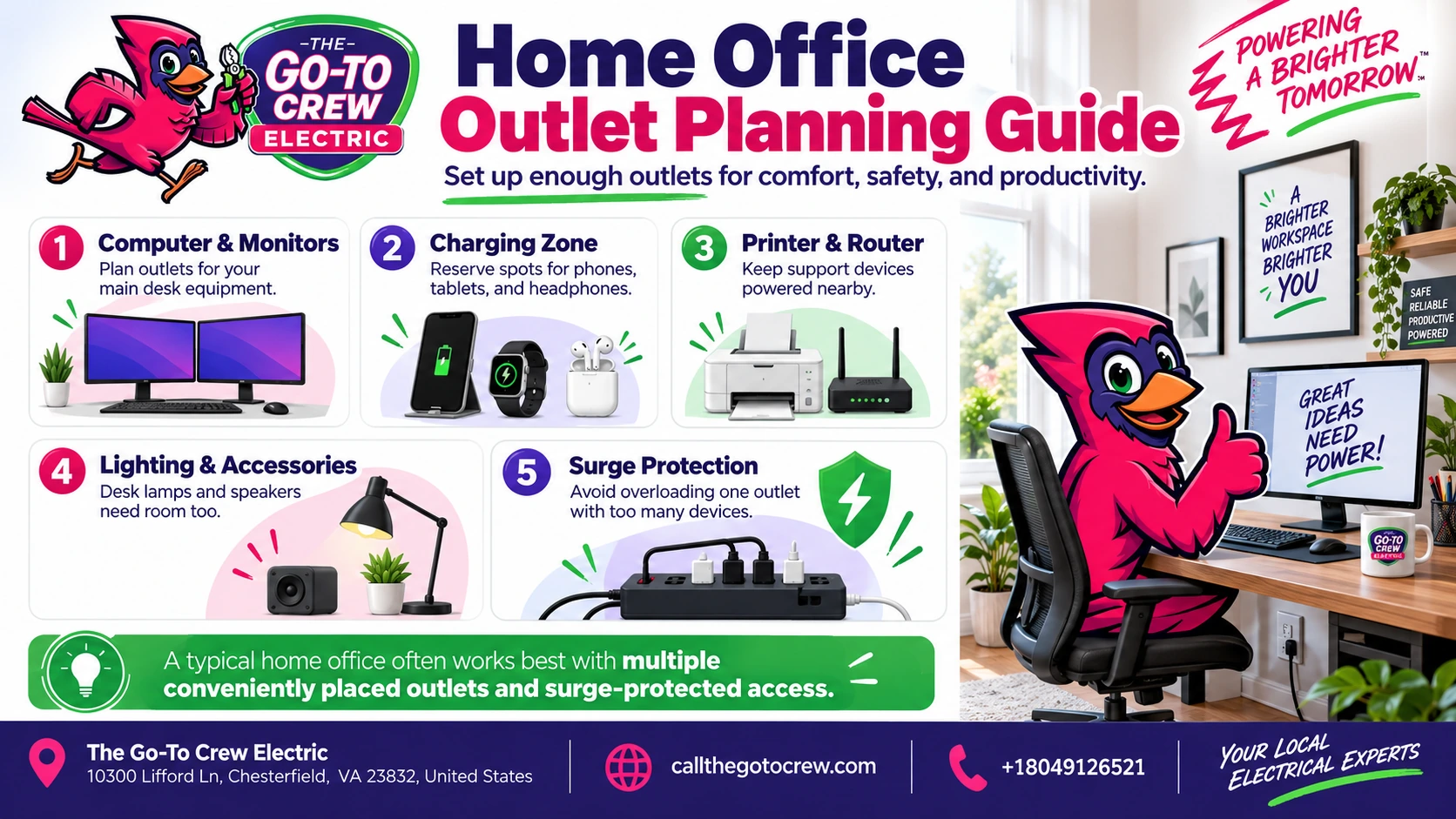
Near the printer or equipment cabinet
Printers are often placed on a separate table, cabinet, or shelf.
If the only available receptacle is behind the desk on the opposite wall, you may end up running a cord through the room.
Planning a convenient outlet near the equipment location keeps the setup cleaner.
Near networking equipment
If the office will contain your router, modem, network switch, or other communications equipment, include that location in the power plan.
These devices frequently stay powered around the clock, so dedicating convenient electrical access to them can reduce clutter around the primary workstation.
Near seating and charging areas
A secondary chair or small table may eventually become a convenient place to charge a laptop, phone, or tablet.
One thoughtfully located receptacle can make the office much more flexible.
Keep walkways clear
Avoid creating a layout that requires cords to cross:
- Doorways
- Hallways
- Walking paths
- Areas beneath rolling office chairs
Convenient outlet placement is partly about reducing clutter and inconvenience.
Consider built-ins before installation
Built-in desks, cabinets, shelving, and bookcases can block existing wall outlets.
If you are remodeling the office, finalize those features before planning additional receptacles.
It is easier to place the outlet where it will remain usable than to discover afterward that new cabinetry covers it.
Why Is Surge Protection Important for Office Electronics?
A modern home office can contain thousands of dollars’ worth of electronics.
Computers, monitors, networking equipment, printers, external storage devices, smart-office equipment, and other electronics can be affected by electrical surges.
Surge protection and overload protection are different
This distinction is useful.
A surge protector is intended to limit damaging voltage spikes.
It does not give a circuit additional electrical capacity.
If too much equipment is drawing power from one circuit, surge protection does not eliminate the overload.
Plug-in protection can protect individual equipment
Quality surge-protective devices can be useful at the workstation for computers and related electronics.
Avoid assuming every device that looks like a power strip provides the same level of surge protection.
Use products appropriate for their intended application and replace damaged equipment.
Whole-home protection adds another layer
Whole-home surge protection is installed at the home’s electrical system and is designed to help manage surges before they reach equipment throughout the house.
That can complement point-of-use protection for sensitive office electronics.
For homeowners with:
- Multiple computers
- Expensive displays
- Home servers
- Networking equipment
- Smart-home devices
- Entertainment electronics
surge protection is worth considering as part of the larger electrical plan rather than only after equipment is damaged.
When Does a Home Office Need a Dedicated Circuit?
Not every home office needs a dedicated electrical circuit.
A modest workspace with a laptop, monitor, printer, and chargers may operate comfortably on an existing circuit if that circuit has appropriate capacity.
A more equipment-heavy office may justify further evaluation.
Consider what else shares the circuit
Your office receptacles may share power with:
- A neighboring bedroom
- Hallway outlets
- Lighting
- Another office
- Other household equipment
That matters because the load is not limited to what is inside the office.
An electrician can determine what the existing circuit serves.
A dedicated circuit may make sense for substantial equipment
Professional evaluation may be useful when the office includes:
- Several high-powered computers
- Multiple monitors
- Large laser printers
- Servers or network equipment
- Specialized business equipment
- Equipment that needs reliable continuous operation
A dedicated circuit can isolate particular office loads from unrelated devices elsewhere in the home.
Whether one is appropriate depends on the actual electrical demands and system configuration.
Repeated breaker trips need investigation
If your office repeatedly trips a breaker during normal use, do not simply reduce the problem to “I need more outlets.”
You may need more circuit capacity or there may be another electrical issue.
An electrician can evaluate the circuit before recommending a solution.
Working from home can change electrical needs
A bedroom that once powered only two lamps may now operate as a full-time workspace eight hours a day.
If the room was never intended to support the amount of equipment you now use, updating its electrical layout can make the workspace more functional.
How Should You Plan for Future Equipment?
One of the easiest mistakes is designing an office only around today’s setup.
Home-office technology changes quickly.
You may eventually add:
- Another monitor
- Desktop computer
- Larger printer
- Standing desk
- Additional speakers
- Charging dock
- Network-attached storage
- Video equipment
- Smart lighting
- Backup power equipment
- Additional networking hardware
You do not need to overbuild the room for every imaginable device.
You should give yourself enough flexibility that adding one monitor does not require rearranging the entire office around the nearest receptacle.
Leave convenient capacity at the workstation
If every available plug is occupied on the first day, the setup has little room to grow.
Planning some additional electrical access near the desk is usually more practical than designing exactly to the current device count.
Consider how furniture might move
Will the office always have the desk on the same wall?
If there is a realistic chance you will change the layout, electrical access on more than one wall can make future rearrangements easier.
Plan networking at the same time
Electrical outlets are only one part of a functional office.
If reliable wired internet matters, consider where network connections and equipment will be located while planning the room.
Coordinating electrical and low-voltage needs before walls or finishes change can create a cleaner final workspace.
Think about resale and alternate room uses
A home office could eventually become:
- A bedroom
- Study
- Hobby room
- Guest room
- Gaming room
A balanced outlet layout can keep the space useful even if its purpose changes.
For Richmond homeowners planning an office renovation, an electrician in Richmond, VA can evaluate existing outlet placement and circuit capacity before additional electrical work begins.
Build the Office Around How You Actually Work
There is no universal answer to how many outlets a home office should have.
The right plan begins with your equipment and layout.
Before adding outlets, determine:
- What equipment will stay plugged in
- Where the desk will sit
- Where the printer will go
- Where networking equipment will be located
- Which devices may operate simultaneously
- What else shares the existing circuit
- Whether surge protection is appropriate
- What equipment you may add later
Then design electrical access around those needs.
At The Go-To Crew Electric, we can help homeowners add or relocate electrical outlets and evaluate whether the existing circuit is appropriate for the way a home office is being used.
A well-planned office should let you focus on work, not hunt for open plugs or run extension cords across the room.
FAQs
How many outlets should a home office have?
There is no single outlet count that works for every home office. Start with the number and location of computers, monitors, printers, chargers, networking devices, lighting, and other equipment, then plan enough convenient electrical access for current use and reasonable expansion.
Should my computer have its own outlet?
A computer does not automatically require a separate wall outlet or dedicated circuit. What matters is the overall electrical load, what other equipment shares the circuit, and whether appropriate surge protection is being used.
Does a home office need a dedicated circuit?
Not every office does. A dedicated circuit may be worth considering for equipment-heavy workspaces, specialized electronics, or situations where the existing shared circuit cannot comfortably support normal office use. An electrician can assess the actual load.
Can I use power strips instead of adding outlets?
Power strips can provide additional connection points for appropriate low-demand electronics, but they do not increase the capacity of the electrical circuit. If a room consistently lacks accessible power or breaker trip during normal use, additional electrical planning may be appropriate.
Should I use surge protection for my home-office computer?
Surge protection can help protect computers and other sensitive electronics from voltage spikes. Point-of-use surge protection may be combined with whole-home surge protection for a broader layered approach.
Where is the best place to install outlets in a home office?
Prioritize locations near the main desk, printer or equipment cabinet, networking equipment, and other areas where powered devices will actually be used. Furniture, built-ins, walking paths, and future layout changes should all be considered before choosing outlet locations.